
Payment Methods at Dragonia in Canada
Pay and get paid in Canadian dollars. Every deposit and withdrawal runs in CAD, so you skip needless currency conversion and keep track of your money with ease. The cashier shows the methods available to your account, and the figures below come from a reviewed Canadian cashier. Pick a method, check the details and move your funds with confidence.
Dragonia Deposit Methods for Canadian Players
Funding your account should be simple. Players in Canada can choose Interac e-Transfer, PlayID, bank cards, MiFinity and cryptocurrencies. The cashier reportedly shows about 19 deposit options. Open it once you are logged in to see exactly what your account supports. Availability depends on your account and your payment provider. The table below is not guaranteed to be complete.
| Payment Method | Minimum Deposit | Maximum Deposit | Processing Time | Fee |
|---|---|---|---|---|
| Interac e-Transfer | C$10 | C$9,000 | See the cashier | The casino does not publish a fee per method; the cashier shows any charge before you confirm. Your payment provider may add its own. |
| PlayID | C$20 | C$4,000 | See the cashier | |
| Bank card | C$20 | C$4,000 | See the cashier | |
| MiFinity | C$20 | C$3,750 | See the cashier | |
| Bitcoin (BTC) | C$45 | C$10,000 | See the cashier | |
| Dogecoin (DOGE) | C$20 | C$7,800 | See the cashier | |
| Tether (USDT) | C$20 | C$8,000 | See the cashier | |
| Ethereum (ETH) | C$20 | C$8,000 | See the cashier | |
| Litecoin (LTC) | C$20 | C$8,000 | See the cashier | |
| USDC, BNB, SOL | C$20 | C$8,000 | See the cashier | |
| ADA, TRX | C$20 | C$8,000 | See the cashier | |
| Bitcoin Cash (BCH) | C$20 | C$8,000 | See the cashier |
The figures come from a reviewed Canadian cashier and may vary by account and provider. The cashier always shows the current methods and limits.
Interac e-Transfer and Online Banking
Many Canadians prefer paying straight from their bank. You approve the transfer in your banking app, and the money moves in dollars. Interac has the lowest minimum deposit at C$10. The maximum is C$9,000. Check the cashier before you start.
Bank Cards
Cards are familiar and easy to use. Enter your card details, enter the amount and confirm. Deposits run from C$20 to C$4,000. Your bank may ask for extra approval in its app. Use a card in your own name.
MiFinity
MiFinity is a digital payment option in the cashier. Deposits run from C$20 to C$3,750. Check that the method is listed for your account in the cashier.
PlayID
PlayID is another option in the cashier. Deposits run from C$20 to C$4,000. Availability depends on your account and provider.
Cryptocurrencies
Dragonia accepts BTC, DOGE, USDT, ETH, LTC, USDC, BNB, SOL, ADA, TRX and BCH. Bitcoin deposits run from C$45 to C$10,000. Dogecoin runs from C$20 to C$7,800. The other coins run from C$20 to C$8,000. Network fees can change, so review the details on screen before you send. Double-check the amount and the address, as crypto transfers are hard to reverse.
How to Make a Deposit
Adding funds takes a few minutes. Follow these steps from your account on this site.
- Log in or registerClick the button below to open this site, then log in to your account or create a new one.
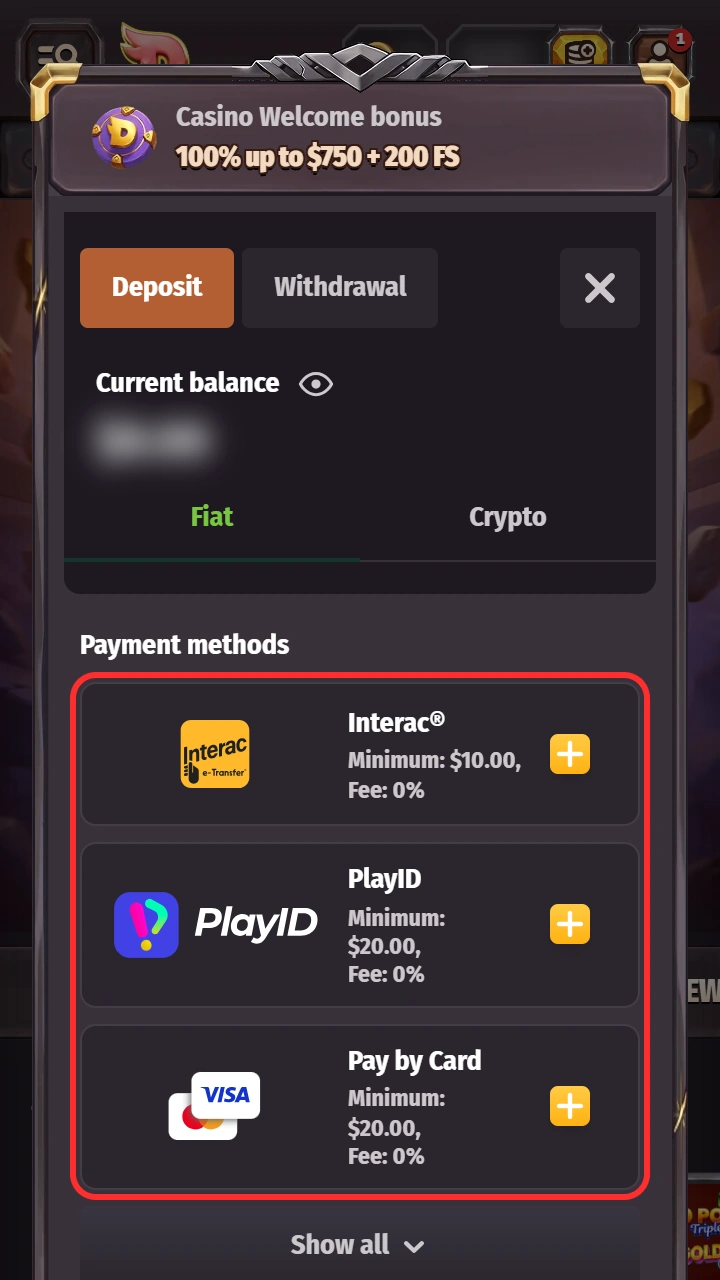
- Open the cashierTap the Deposit button in your account to reach the payment window.
- Select a payment methodPick one of the methods listed for your account, such as Interac e-Transfer, a bank card, MiFinity or crypto.
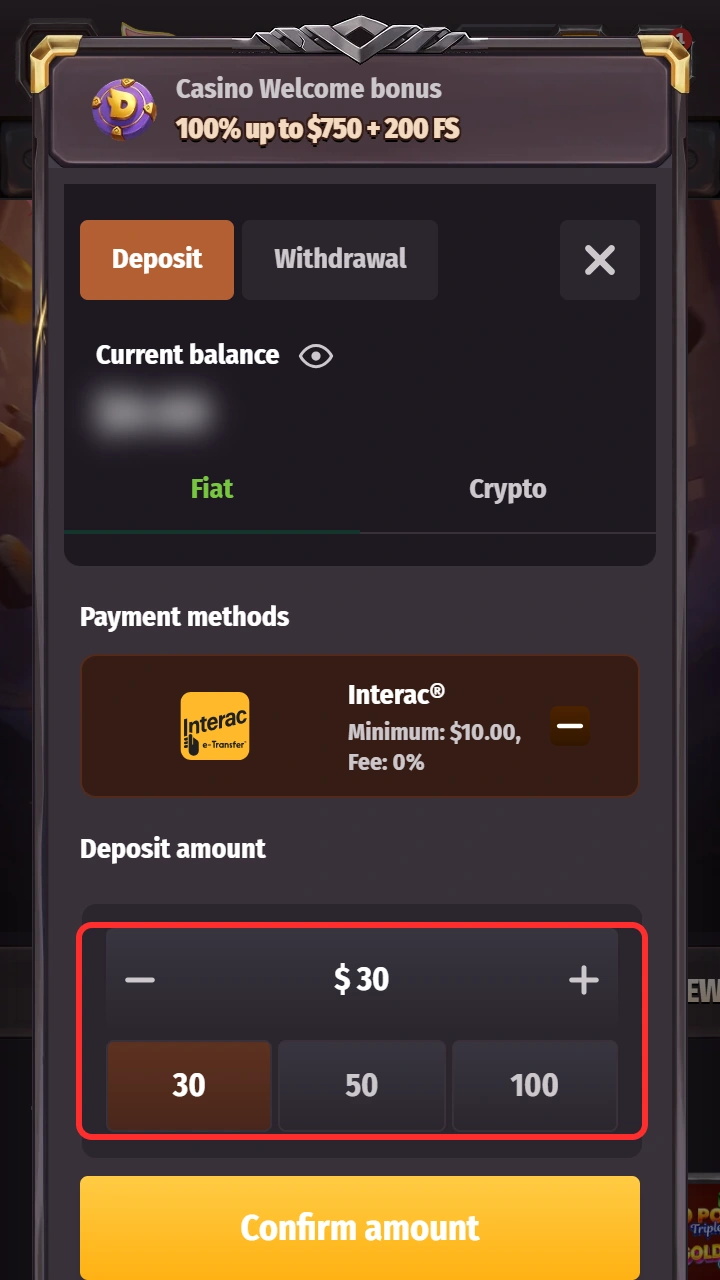
- Enter the amountType the sum in Canadian dollars. Check the minimum and maximum for that method on screen.
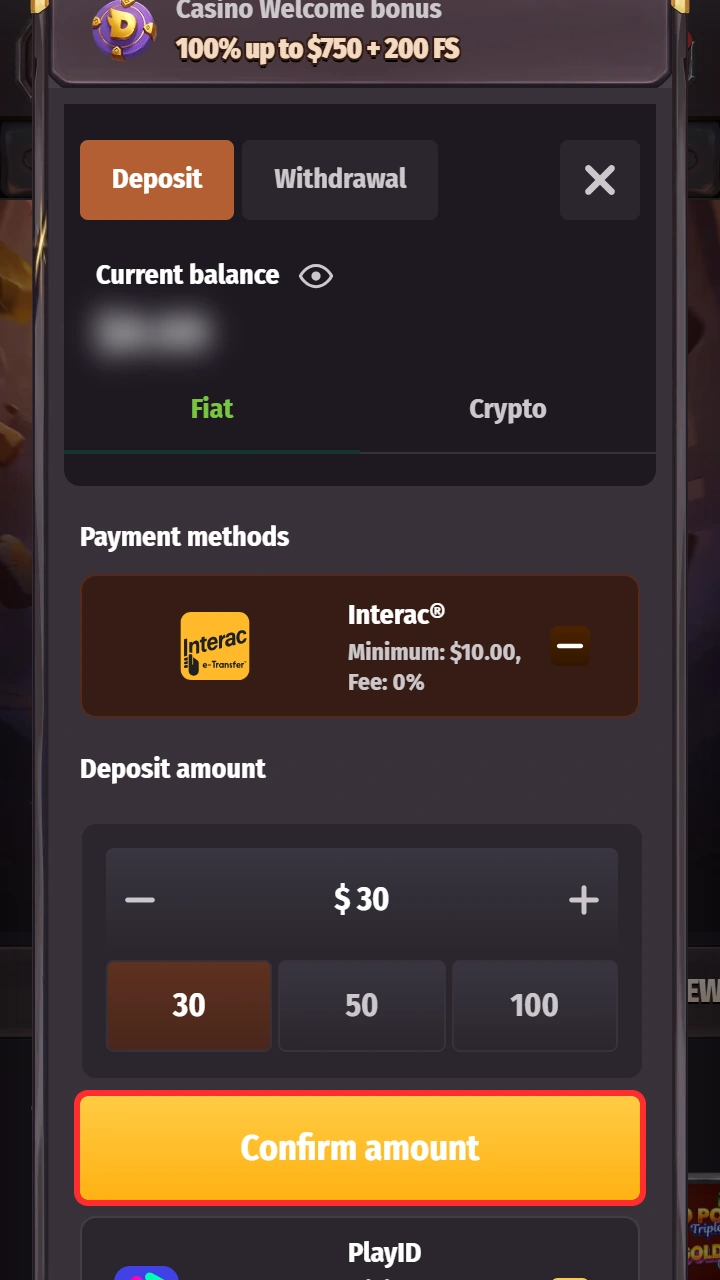
- Confirm the transactionApprove the payment. If your bank asks, confirm it in your banking app. Your balance updates once the payment goes through.


What to Do If Your Deposit Hasn't Been Credited?
Stay calm. Delays happen. First, check whether the money left your bank account. Then wait a short while, as your payment provider can be slow. If your balance still has not changed, contact support and attach a screenshot of your payment receipt. The team can then look into it.
Deposit Bonuses
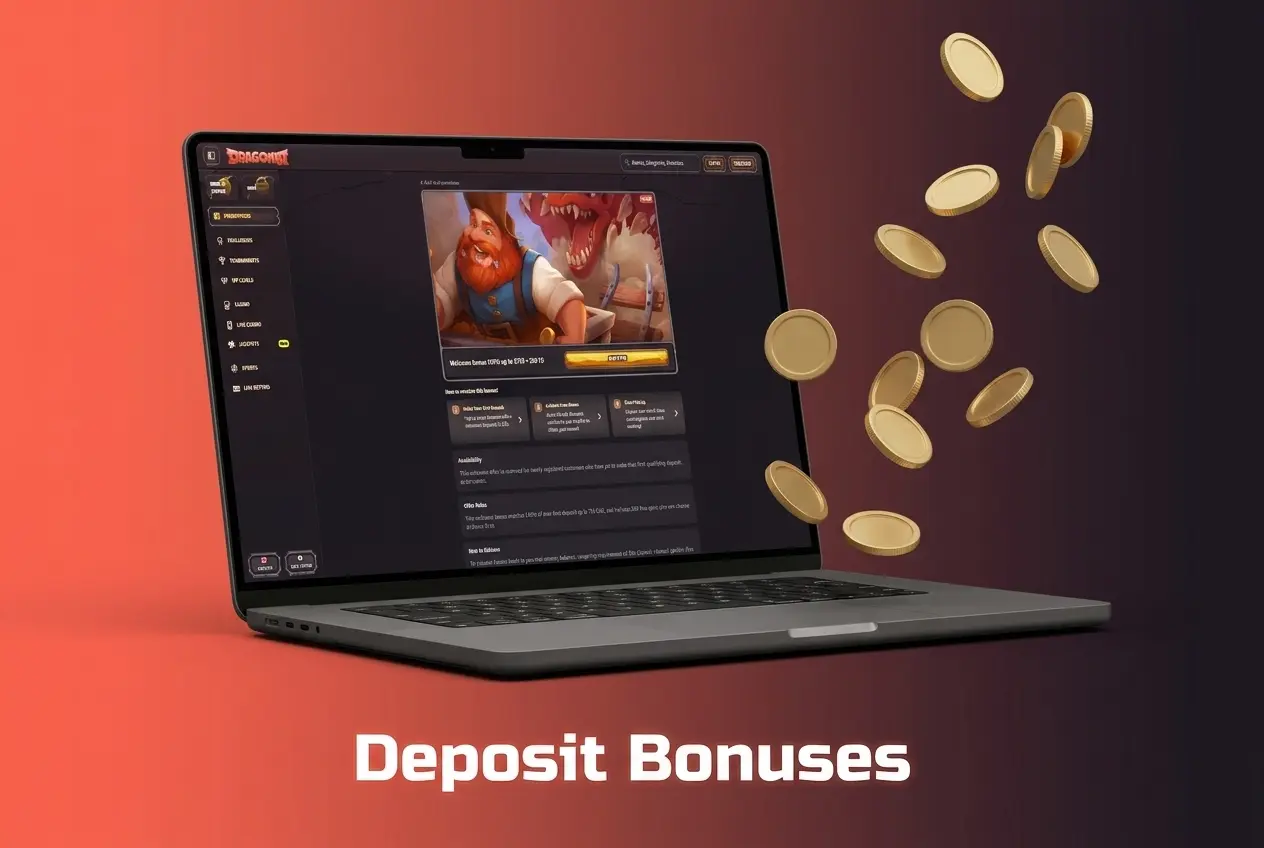
A deposit can unlock extra value. New players can claim the welcome bonus of 100% up to C$750 + 200 free spins + one attempt at Bonus Crab. The minimum qualifying deposit is C$30. Wagering is 35x the deposit plus the bonus, within 10 days. The maximum bet while a bonus is active is C$150.
Choose the bonus during registration, then activate it in the My Bonuses section. No promo code is needed for the standard bonus. Sports bettors can pick a first deposit bonus of 100% up to C$150, also with a C$30 minimum deposit. Offers change, so read the bonus terms in your account before you opt in. Then decide if the offer fits your budget.
How to Deposit from Your Phone
You can fund your account from any phone through the mobile website. There is no native app. The steps match the desktop flow, and you can approve bank payments in your banking app.
- Open this siteClick the button below on your phone to open the mobile site.
- Log inEnter your details, or use the saved login on your own device.
- Choose a method and amountOpen the cashier, pick a payment method and enter the amount in CAD.
- Approve the paymentIf your bank asks, confirm it in your banking app.
- Check your balanceReturn to the site and confirm the funds are in your account.

Dragonia Withdrawal Methods
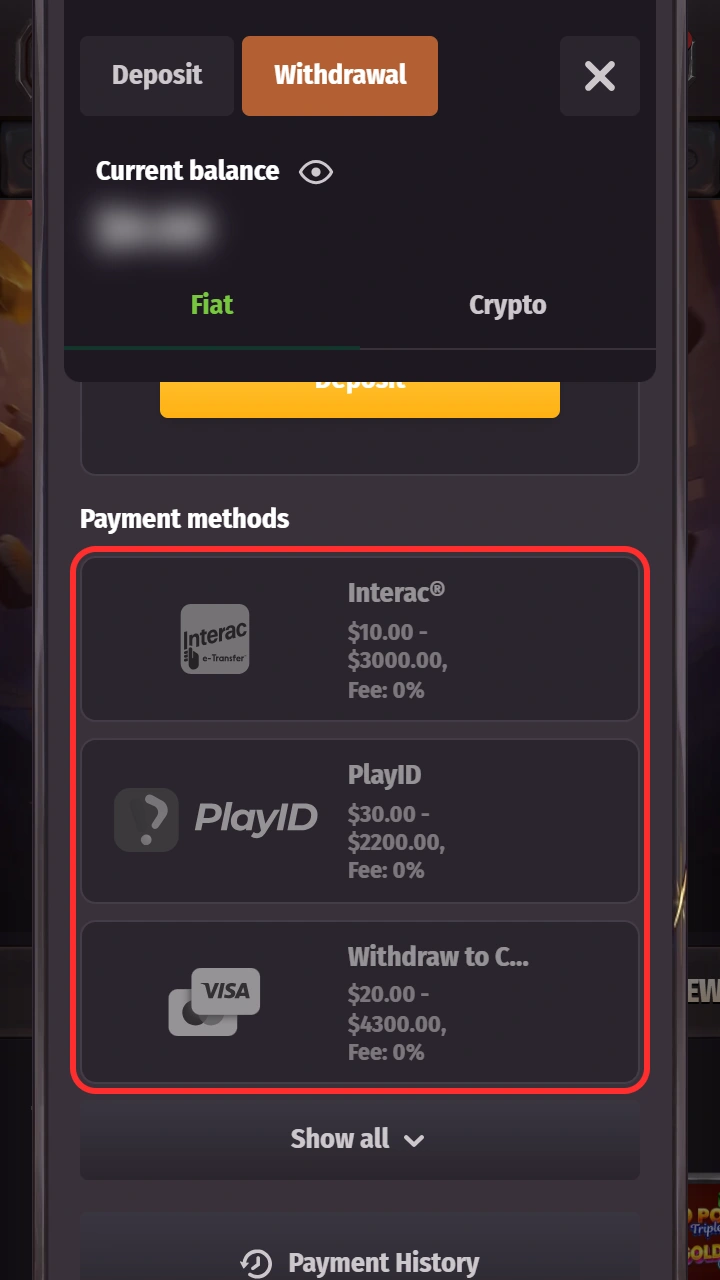
Cashing out should be as clear as paying in. The cashier reportedly shows about 21 withdrawal options, and it lists what your account supports. Availability depends on your account and your payment provider. Skrill and Bank Transfer appear for withdrawals. The casino does not promise a payout time per method.
| Payment Method | Minimum Withdrawal | Maximum Withdrawal | Processing Time | Fee |
|---|---|---|---|---|
| Interac e-Transfer | C$10 | C$3,000 | See the cashier | The casino does not publish a fee per method; the cashier shows any charge before you confirm. Your payment provider may add its own. |
| PlayID | C$30 | C$2,200 | See the cashier | |
| Bank card | C$20 | C$4,300 | See the cashier | |
| Bank Transfer | C$20 | C$7,800 | See the cashier | |
| Skrill | C$20 | C$7,800 | See the cashier | |
| MiFinity | C$20 | C$3,750 | See the cashier | |
| Bitcoin (BTC) | C$90 | C$10,000 | See the cashier | |
| Other cryptocurrencies | C$35 | C$8,000 | See the cashier |
The figures come from a reviewed Canadian cashier and may vary by account and provider. The method maximum does not override your VIP daily cap (see the limits section below).
Step-by-Step Guide to Withdrawing Funds
Ready to cash out? Four steps take you from balance to payout.
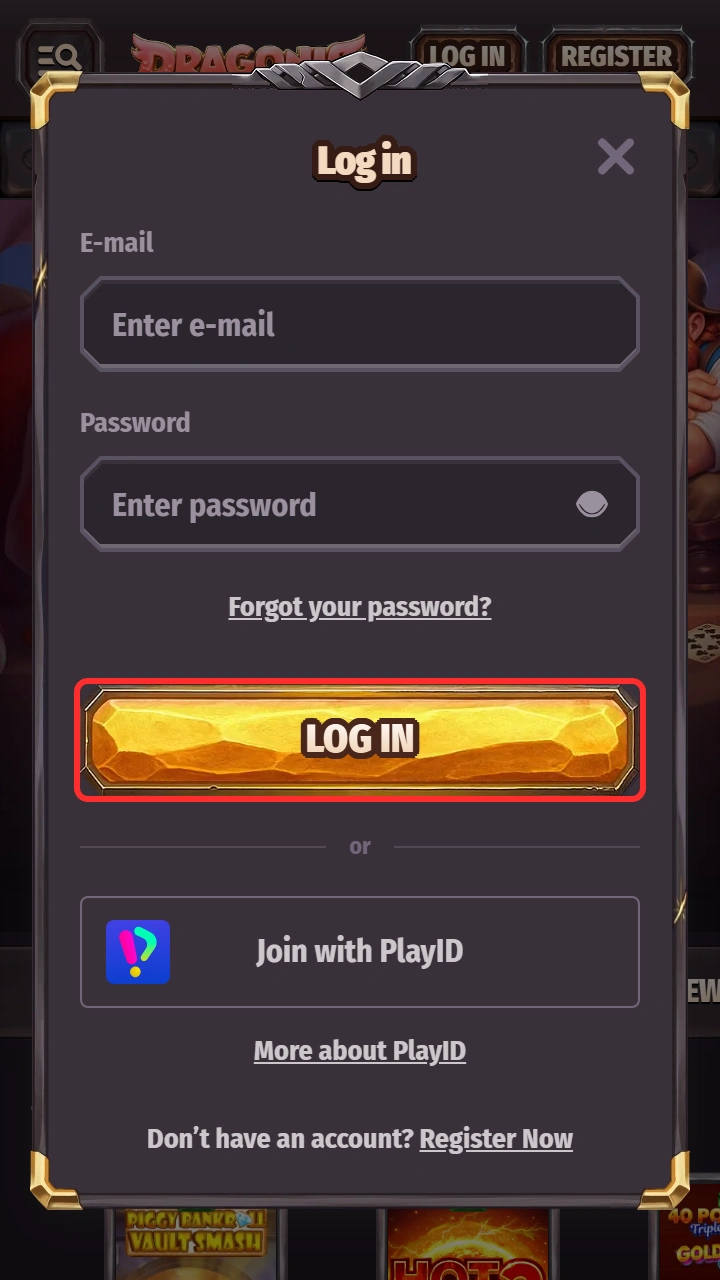
- Log inClick the button below to open this site and log in to your account.
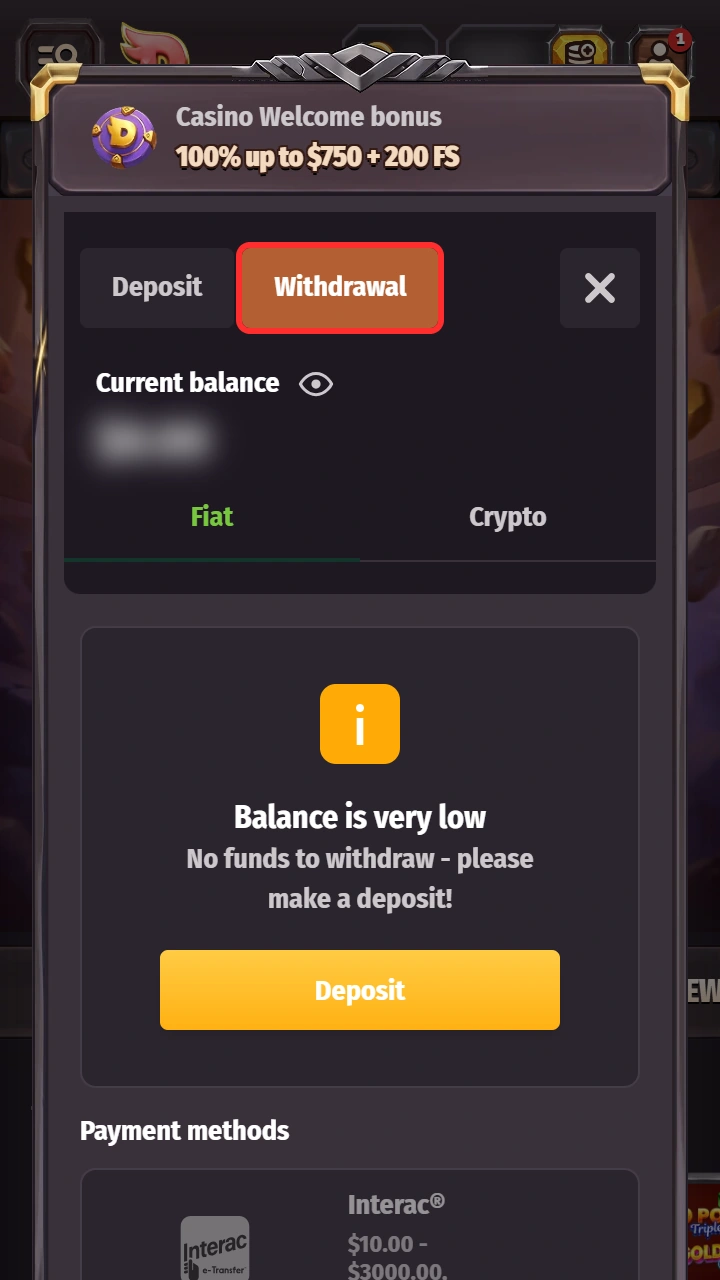
- Open the cashierGo to the cashier from your account menu.
- Select WithdrawalSwitch from the deposit tab to the withdrawal tab.
- Choose a method and submitPick your method, enter the amount in CAD and submit the request. If asked, complete identity verification.

Withdrawal Terms and Conditions
The finance department handles withdrawal requests within 3 business days. If you already have a paid request, the 3 days count from that payment. Working hours are Monday to Friday, 06:00-17:00 GMT. You can have at most 3 pending requests at once.
Verification can extend the review. After approval, your payment provider may credit the funds later. No per-method speed is promised.
Identity verification (KYC) may be needed before a withdrawal. You may be asked for proof of identity, proof of address, proof of payment-method ownership and proof of source of funds. Where possible, withdraw to the same method you used to deposit, and keep that method in your own name. Read the full terms for details.
Common Withdrawal Issues and How to Resolve Them
Most delays have a simple cause. A bonus with unfinished wagering can hold back a payout, so check your bonus terms. Missing identity verification is another common reason, and uploading clear documents usually fixes it. A request above the limit for your method or your VIP level can also be declined, so check the cashier for the current figures. Whatever the reason, support can help you resolve it.
Deposit and Withdrawal Limits
Limits depend on the method you choose. Minimum deposits run from C$10 (Interac) to C$45 (Bitcoin). Maximum deposits run from C$3,750 (MiFinity) to C$10,000 (Bitcoin). Minimum withdrawals run from C$10 (Interac) to C$90 (Bitcoin). Maximum withdrawals run from C$2,200 (PlayID) to C$10,000 (Bitcoin).
Withdrawals also have VIP caps per day and per month. The method maximum does not override the daily VIP cap. At level 1, for example, you can withdraw up to C$750 per day and C$10,500 per month, even if the method maximum is higher. Open the cashier to see the current figures for your account before you confirm.
| VIP Level | Daily Withdrawal Limit | Monthly Withdrawal Limit |
|---|---|---|
| Level 1 | C$750 | C$10,500 |
| Level 2 | C$750 | C$15,000 |
| Level 3 | C$1,200 | C$18,000 |
| Level 4 | C$1,500 | C$23,000 |
| Level 5 | C$2,300 | C$30,000 |